
The living register of Why, What and With Whom You Process Personal Data
Record every processing activity once, with its purposes, lawful basis, data, recipients and retention. Review and approve it, prove what was true on any date, and build your consent notices from it.
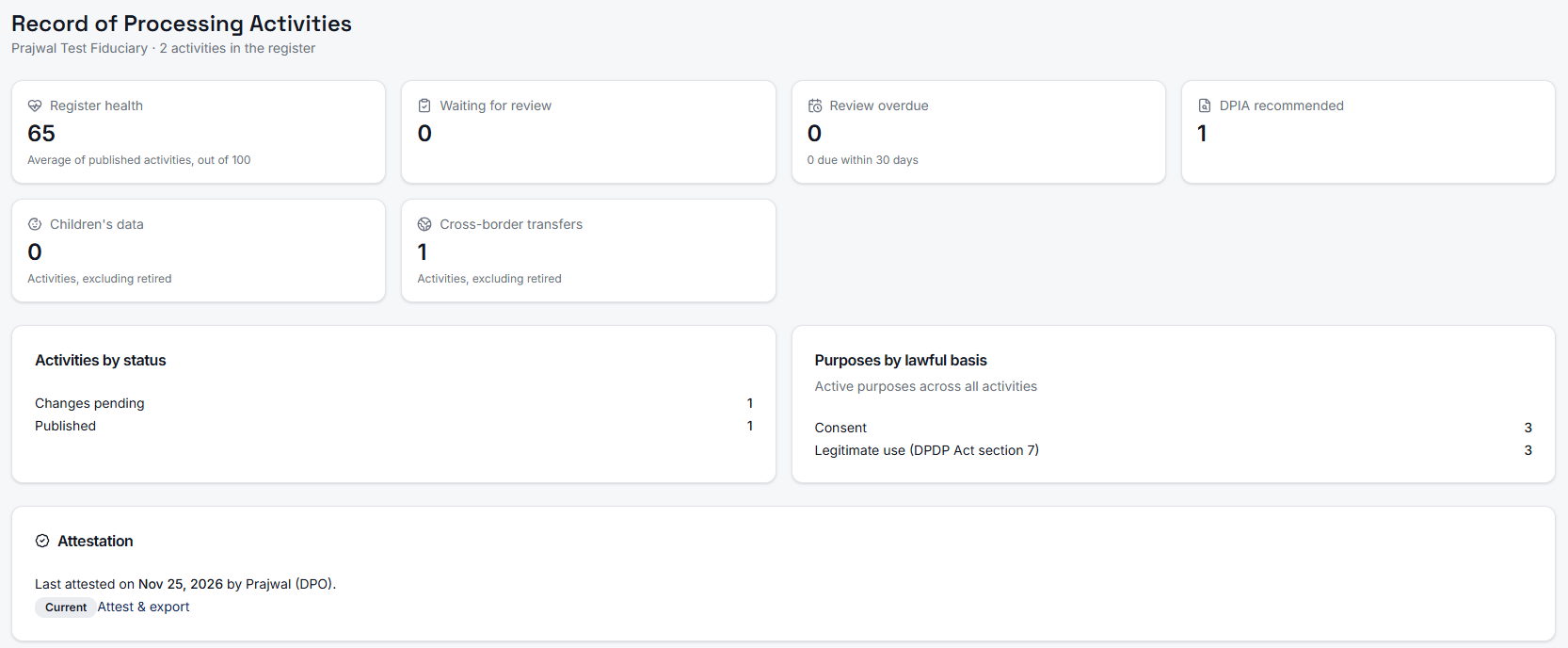
From a single activity to a register you can stand behind
Draft it, get it reviewed, and let the approved purposes flow into your consent notices.
Processing Activities Register
Describe each activity with the people it concerns, the data it uses, where the data comes from, who receives it and how long it is kept.
- Purposes with lawful basis, justification and retention of their own
- Data elements picked from a shared data category list
- Children and persons with disabilities flagged with a consent note
- Cross-border transfers with destination countries
Approval, Versions & Attestation
Nothing becomes the record until a DPO or Org Admin approves it. Each approval writes an immutable version, and the whole register can be attested.
- Draft, in review, published and retired lifecycle
- Optional rule that the approver must differ from the submitter
- Version history with field-level changes and review decisions
- Attestation with a stored PDF that can be downloaded again
Notices Built From the Register
Consent-based purposes approved in RoPA are available in the notice editor with their core fields locked, so the notice and the register never drift apart.
- Approved consent purposes sync to the notice editor automatically
- Notices flag "update available" when a purpose changes
- Sync status visible on every purpose in the register
- Retiring a purpose is blocked while a live notice uses it
A register that answers the questions DPDP raises
Lawful grounds, retention, processors, children and transfers, each tracked where the work is done.
Lawful Basis Per Purpose
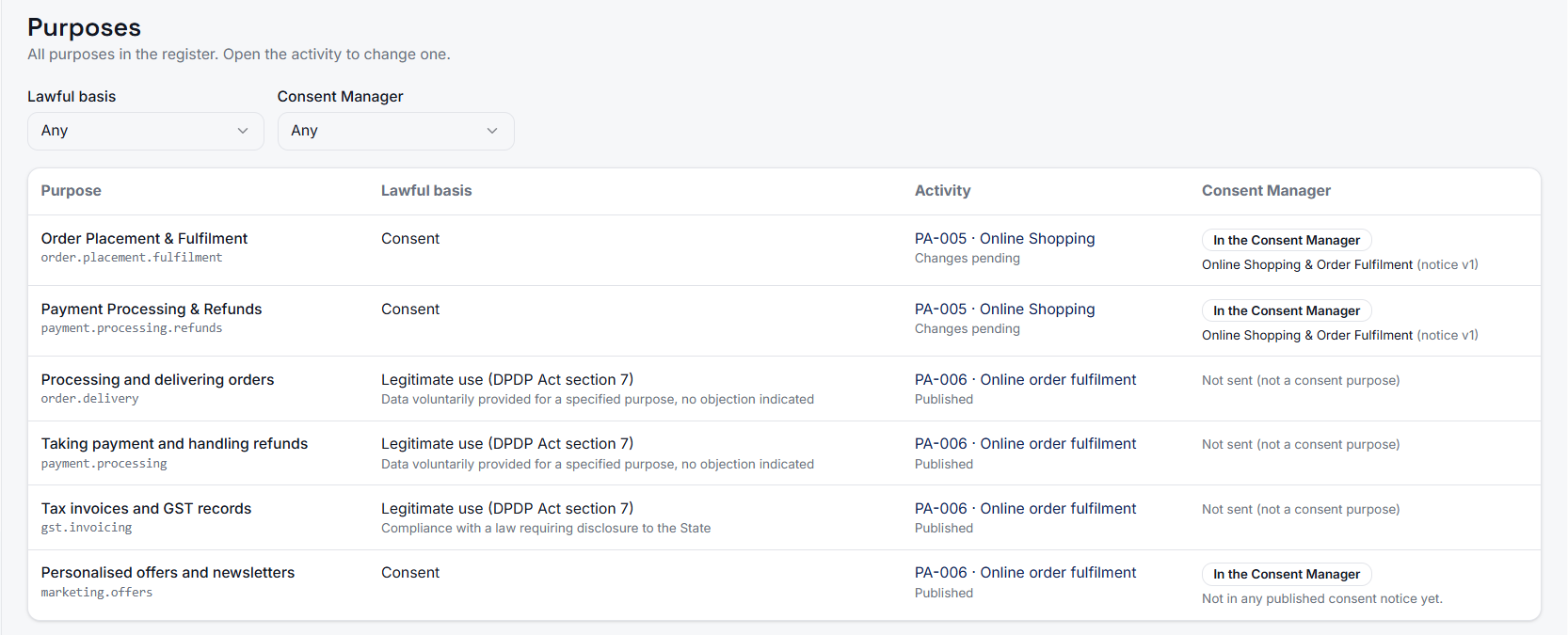
One activity can have both consent-based and legitimate-use purposes. Each purpose records its own ground, justification and retention.
Drives Your Consent Notices
Write a consent purpose once. It appears in the notice editor, so every consent can be traced to a notice version and a RoPA purpose.
Recipients Linked to Vendors
Link a processor to its vendor record to see its score, trust band and open findings next to the activity that shares data with it.
Gaps Flagged Automatically
Missing lawful basis, retention above the ceiling, children without a consent note or cross-border without a country are caught before submission.
Provable As of a Date
Published versions and attestations are immutable and hash-chained, so you can show what the register said on any day.
Risk Signals Built In
Children, large volumes, automated decisions and cross-border transfers raise a DPIA indicator, with the reasons listed.
From blank register to attested record in 6 steps
A workflow for DPOs and privacy teams, with guided help at every stage.
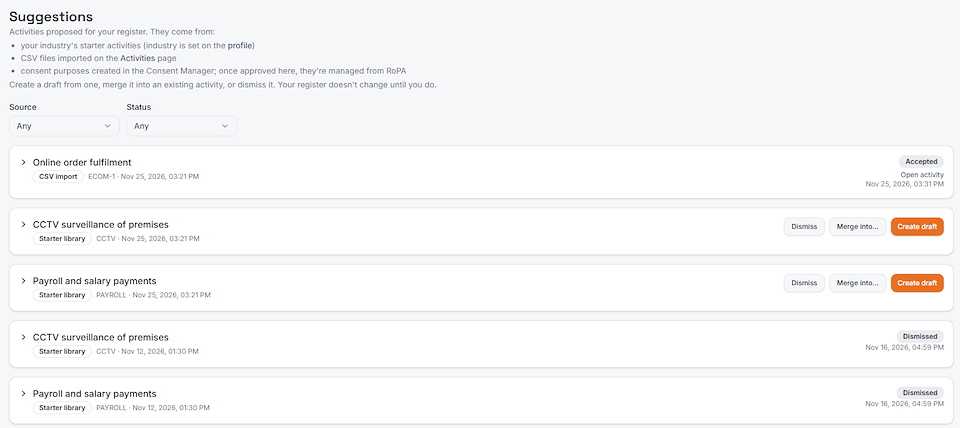
Begin from suggestions and imports, not a blank page
Adopt starter activities for your industry, import your existing spreadsheet, or take over purposes already used in your consent notices.
- Starter library of common activities by industry
- CSV import with row-level error reports
- Existing notice purposes adopted without losing their ids
- Each suggestion accepted, merged or dismissed by you
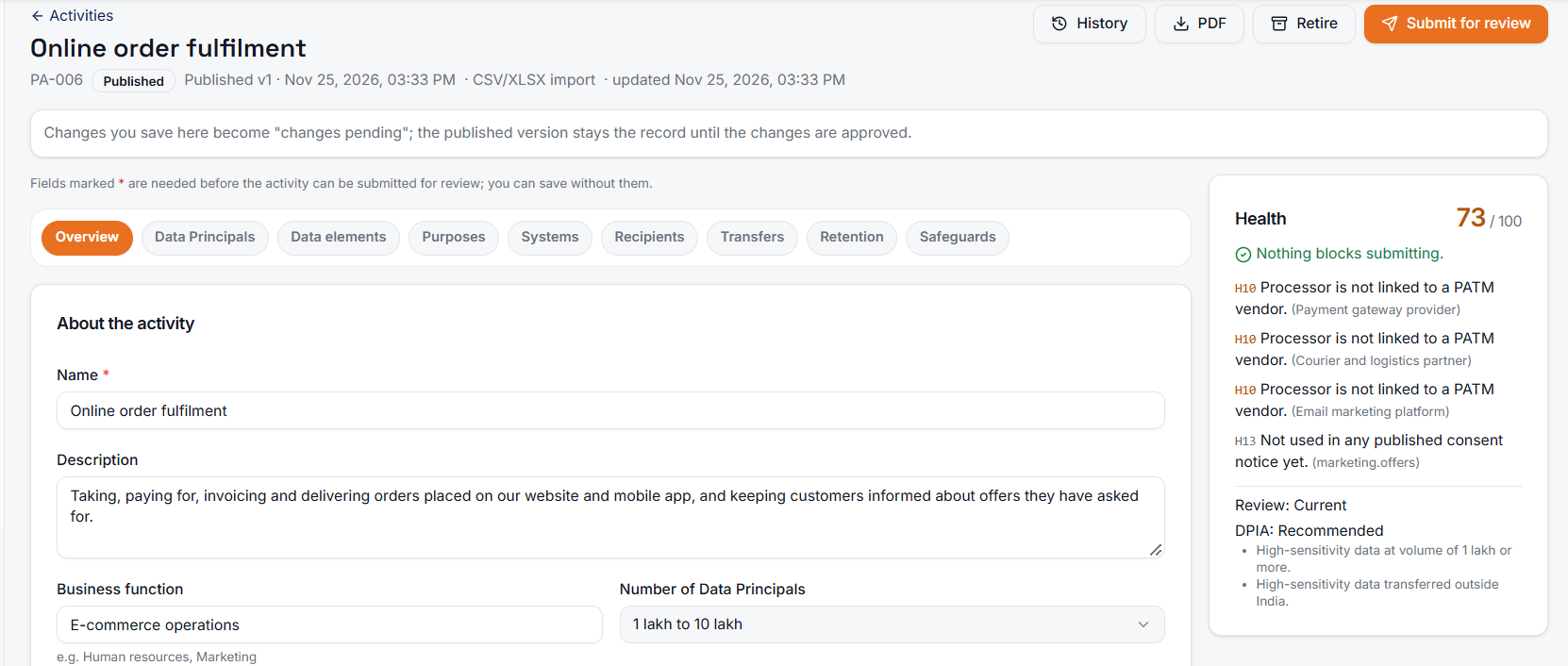
Capture the activity, the people and the data
Set the owner, the Data Principal categories, the volume band and the data elements the activity uses, and where each element comes from.
- Data Principal categories and volume band
- Data elements with sensitivity and a necessity note
- Sources: the individual, another fiduciary, public or generated
- Children and disability flags with a verifiable-consent note
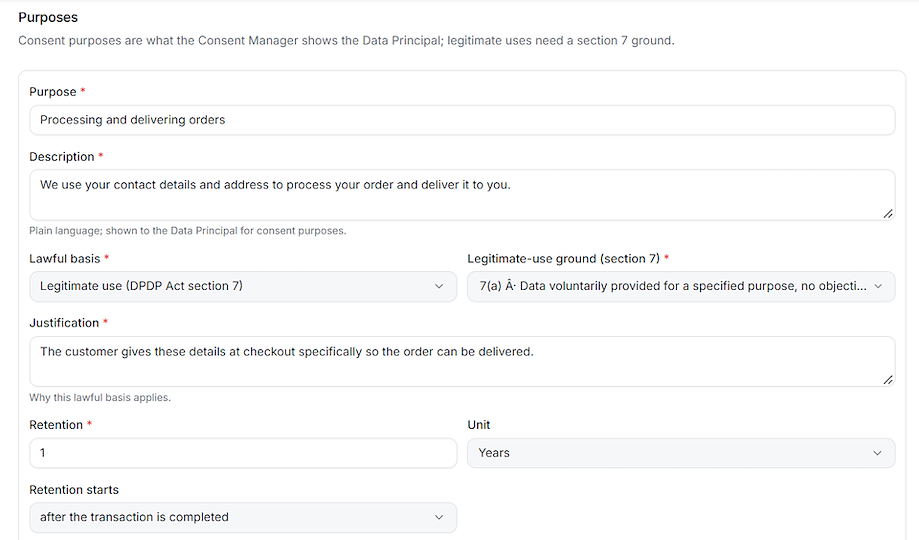
Give every purpose a lawful basis and a retention rule
Each purpose names the data it uses, its ground under DPDP, a justification and how long the data is kept, within the activity ceiling.
- Consent or a specific legitimate-use ground
- Required or optional data per purpose
- Retention checked against the activity ceiling
- Stable purpose ids that notices rely on
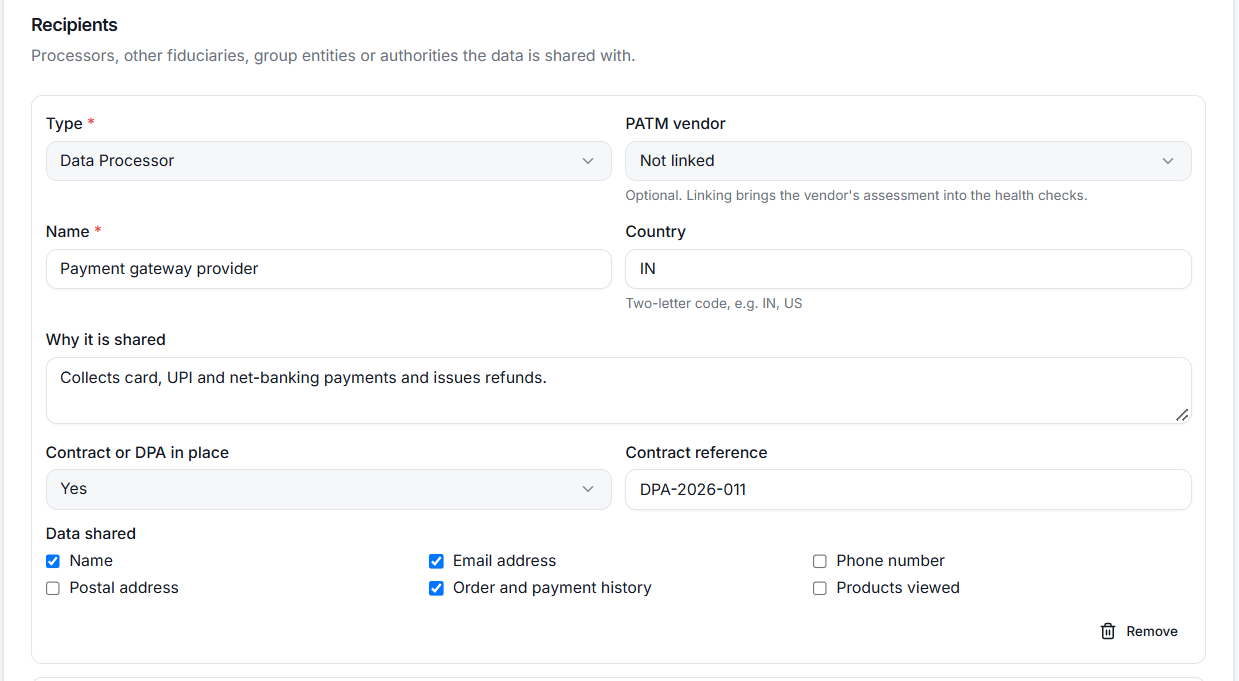
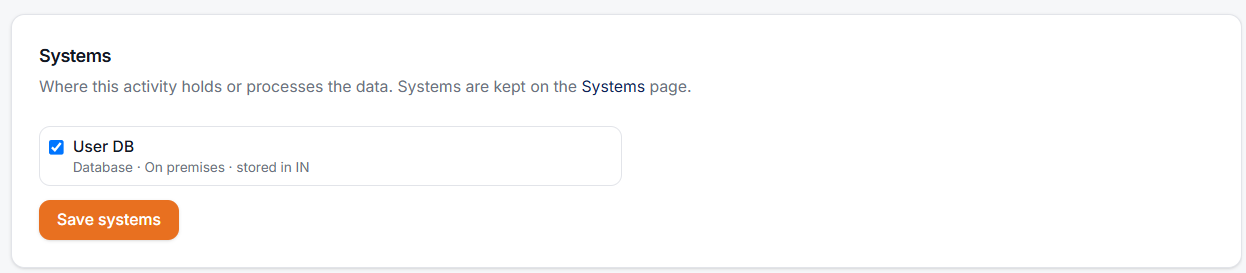
Show who receives the data and where it goes
List processors and other recipients, link them to vendor records, register the systems involved and record cross-border transfers.
- Processor, fiduciary, government and group recipients
- Live vendor score and findings for linked processors
- System register with hosting and storage country
- Contract and DPA status per recipient
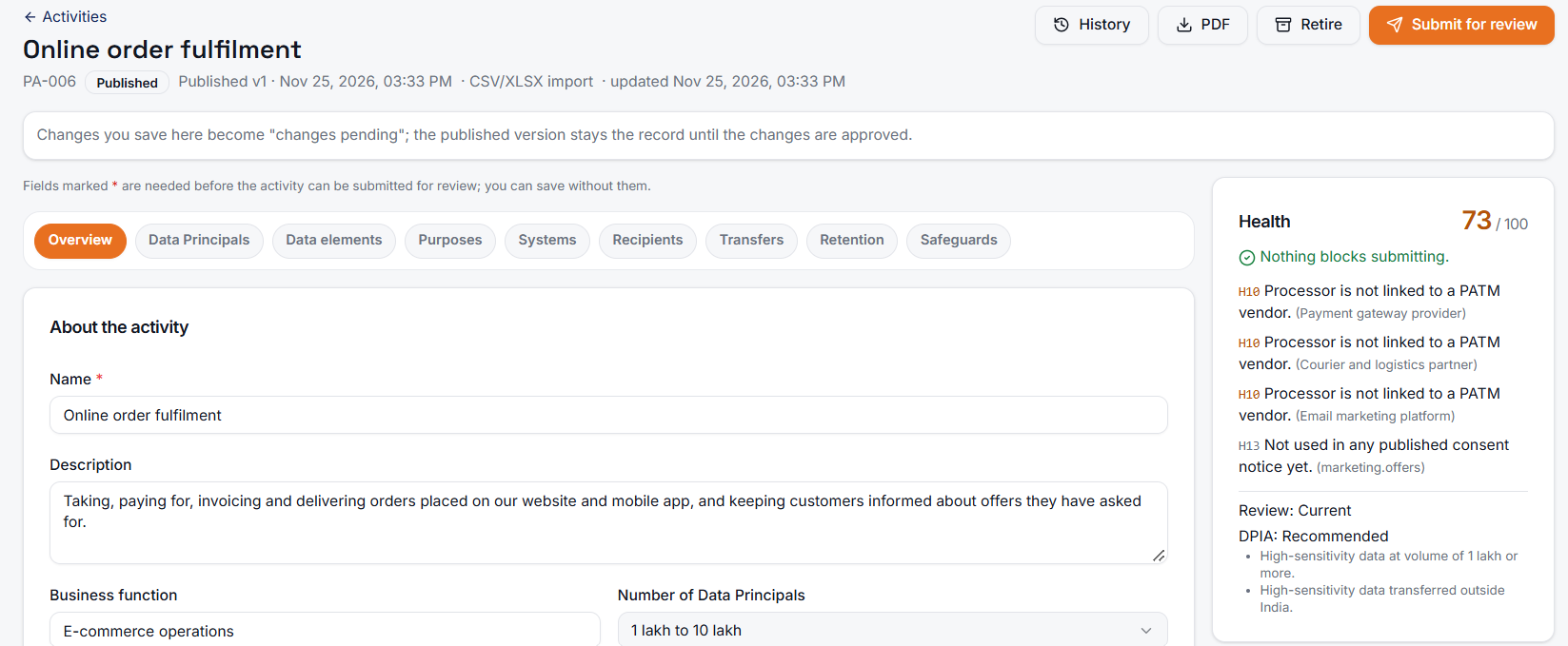
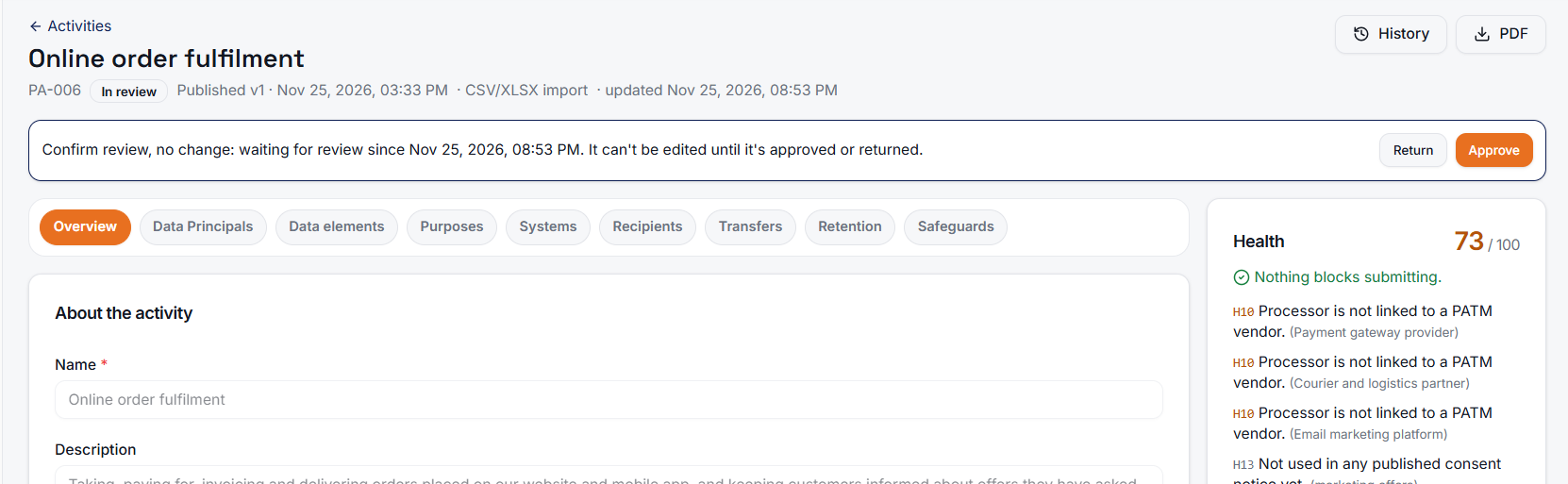
Check, submit and approve with a full review record
Health checks list what must be fixed before submission. A DPO or Org Admin then approves or returns the activity with a comment.
- Blocking checks listed before the activity can be submitted
- Approve or return with a required comment
- Each approval writes an immutable, hash-chained version
- Consent purposes pushed to the notice editor on approval
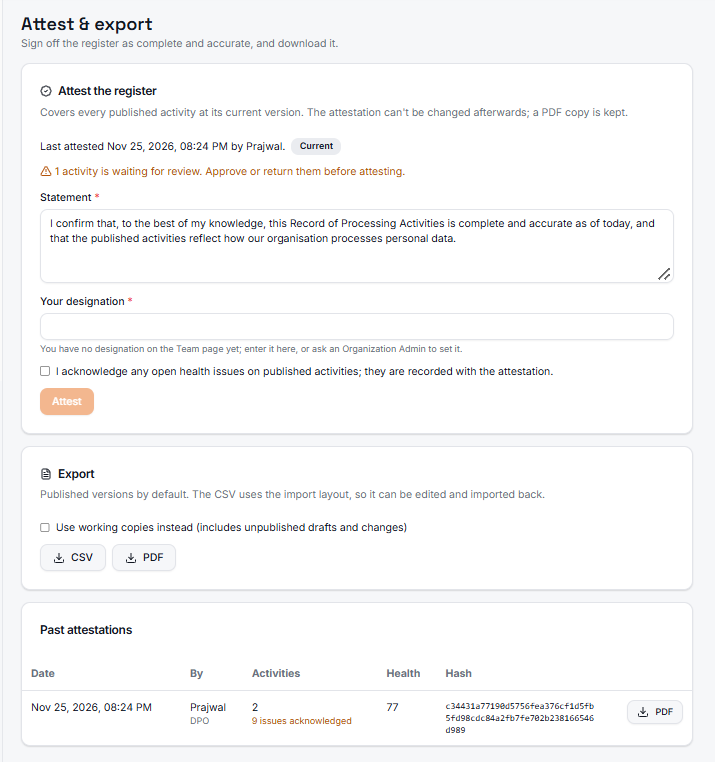
Attest the register and hand it to anyone who asks
Attest the register as complete and accurate, keep the signed PDF, and export the register for auditors or your own tools.
- Attestation records who signed, when and what it covered
- Review dates tracked, with overdue activities flagged
- CSV and PDF exports of the register
- Data map from each data category to purposes and recipients
Every processing activity with owner, status, review date and health.
Purposes across the register with lawful basis and notice sync status.
From each data category to its activities, purposes and recipients.
Pending submissions to approve or return, with changes since the last version.
Where data lives, with the activities and categories behind each system.
A signed, stored PDF of the register as of a date.
Questions, answered
Does DPDP require a Record of Processing Activities?
DPDP has no direct equivalent of GDPR Article 30, but obligations such as the notice, lawful grounds, security safeguards, erasure and retention, children, cross-border transfer and breach response are hard to meet without a register. RoPA gives you one place to answer them.
How does RoPA connect to consent notices?
Consent-based purposes approved in RoPA appear in the notice editor with their core fields locked. When a purpose changes, the notices that use it show "update available", and nothing is republished automatically.
Do I need RoPA to create consent notices?
No. Notices can still be created on their own. RoPA is for teams who want purposes written once in the register and reused in their notices.
Who can use RoPA?
Users with the DPO or Org Admin role of a Data Fiduciary. Other roles do not have access to the register.
Do I need Self Assessment & TPRM to list processors?
No. You can type recipients directly. If you use Self Assessment & TPRM, you can link a processor to its vendor record and see its score and open findings in the register.
Can I prove what the register said on a past date?
Yes. Approved versions and attestations are immutable and hash-chained, so the register can be shown as it stood when each version was published or attested.
Know and show how you process personal data
Start your register today, and let your consent notices, reviews and attestations rest on one approved record.